Meccha Chameleon Keybinds: Default Controls and Change Keybinds
Check the reported Meccha Chameleon keybinds, learn whether you can change keybinds, and fix AZERTY, left-handed, or missing key prompt issues.
What Are the Default Meccha Chameleon Controls?
Use this as the default keyboard-and-mouse layout. The game also shows live prompts on the HUD and near the bottom of the screen, so treat the current in-game Settings screen as the final check after any update or rebind.
| Action | Default Key |
|---|---|
| Move | WASD |
| Look / aim | Mouse |
| Crouch | Ctrl |
| Stand up / move up while wall-stuck | Space |
| Lower yourself while wall-stuck | Ctrl |
| Release wall-stick | Shift |
| Open paint mode | F |
| Open pose menu | R |
| Apply paint / tag as seeker | Left mouse |
| Sample a color | Space(inside paint menu) |
| Rotate camera while painting | Middle mouse |
| Taunt | 1 |
| Toggle nameplates | 2 |
| Toggle see-through drawing view | 3 |
| Chat | T |
| Open Settings / change keybinds | Esc |
Quick Take
The default keyboard and mouse controls are the main thing to check first. Use the full table below, then confirm the live HUD prompts in your own build after patches or rebinding.
HUD Prompts to Check
After you change a key, test the action in a private room and compare it with the prompt shown on screen. If the prompt differs from this table, follow the game you are playing right now.

Paint mode and color picker
Open paint mode before sampling colors, adjusting brush settings, or painting your body into the wall.
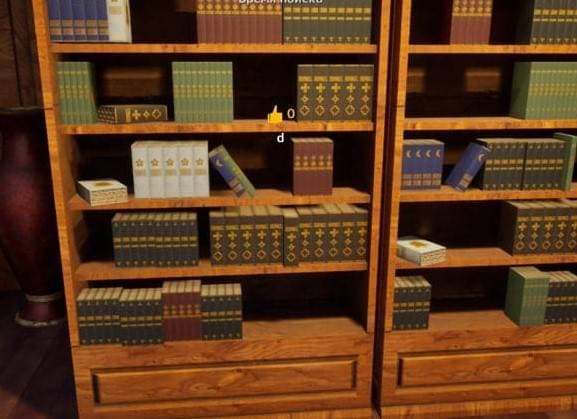
In-game key prompt
Check the prompt near the center of the screen when you interact with a hiding spot.
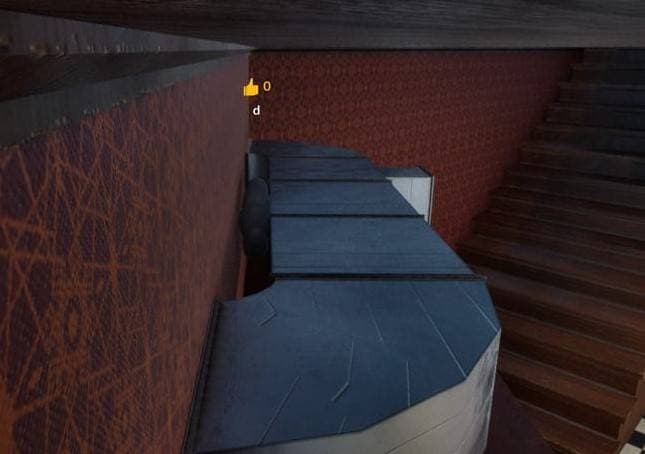
Wall-stick position
Wall and object hides are where release and height-adjustment keys matter most.
How to Change Keybinds
Open Settings from the main menu or pause screen and check whether the action you need is available. Change one key at a time, then test it in a private room before joining a public lobby.
- Move only the uncomfortable action first; changing every key at once makes mistakes harder to diagnose.
- Retest paint mode, pose mode, wall-stick release, and chat after rebinding.
- Take a screenshot of your final layout so you can rebuild it after updates or reinstalling.
AZERTY, QWERTZ, and Left-Handed Fixes
If movement or paint keys feel wrong, solve the layout problem before blaming your hiding spot. The game is easier to learn once movement, paint mode, and pose mode are comfortable.
| Problem | Try This | Why It Helps |
|---|---|---|
| AZERTY movement feels wrong | Try an in-game rebind first, then a temporary keyboard layout switch. | WASD-style movement can land on awkward physical keys. |
| Left-handed setup | Move movement and paint keys together instead of changing only one bind. | Paint, pose, and movement need to stay reachable as a set. |
| Steam Deck or controller | Create a Steam Input layout and test one private round. | Steam Input can cover gaps when the game menu does not expose the exact bind. |
| HUD letters show as boxes | Verify files, test UI scale, disconnect extra devices, then restart. | This is a prompt display problem, not normal keybind learning. |
Steam Deck Controls
For Steam Deck controls, treat keybinds as part of compatibility testing. Start with the default layout, then use Steam Input only for a specific friction point such as camera comfort, interact placement, or menu navigation.
- Test UI readability, camera movement, and interaction prompts in the first session.
- Avoid changing layout, sensitivity, and graphics settings in the same test.
- Retest after patches because handheld behavior can change.
Recommended Next Steps
Keep Going
Related Meccha Chameleon guides
Meccha Chameleon Controller Support and Steam Input Setup
A controller setup guide for Meccha Chameleon players testing default controls, Steam Input layouts, camera sensitivity, and private-lobby practice.
Steam Deck, Controller, and Mac Compatibility
A compatibility hub for Meccha Chameleon players checking Steam Deck, controller, and Mac play options.
How to Play Meccha Chameleon: Beginner Guide
A beginner guide for Meccha Chameleon, covering the loop, first-match habits, and how to use the 77-spot database without getting found instantly.
Best Hiding Spots in Meccha Chameleon
A practical Meccha Chameleon hiding spot guide based on 77 mapped spots, with repeated-object hides, high-angle spots, shadow spots, and seeker counterplay.